Store Analytics 101: Metrics Every Online Seller Should Track
Store analytics is the quiet superpower behind every online seller who seems to always know what to do next. If you're running a store in India and making decisions on gut feel alone, you're leaving money on the table. The numbers tell you what's working, what's leaking, and where to spend your next rupee — you just have to look.
The problem isn't a lack of data. Most stores drown in it. The problem is knowing which handful of metrics actually matter for a small retailer or D2C founder, and which are just vanity numbers that feel good but change nothing.
This guide keeps it practical. We'll cover the core metrics every seller should track, what each one really tells you, and the mistakes that lead people to read their data wrong.
Definition Box
What is store analytics?
Store analytics is the practice of measuring how visitors behave on your online store — how they arrive, what they view, whether they buy, and how much they spend — so you can make informed decisions instead of guessing.
- Shows where your traffic and sales actually come from.
- Pinpoints where buyers drop off before paying.
- Reveals which products and channels earn the most.
- Turns hunches into decisions you can defend.
Quick Facts: Store Analytics
| Core metric | Conversion rate |
| Money metric | Average order value |
| Loyalty metric | Repeat purchase rate |
| Cost metric | Customer acquisition cost |
| Warning sign | High cart abandonment |
| Review cadence | Weekly for trends, daily in sales |
| Vanity trap | Raw pageviews with no context |
The Metrics That Actually Matter
Forget the fifty-chart dashboard. A handful of numbers, watched consistently, will tell you almost everything you need to grow.
Your essential five
- Conversion rate — the share of visitors who buy. The clearest health check for your store.
- Average order value — how much a typical order is worth. Raise it and revenue climbs without more traffic.
- Cart abandonment — how many start checkout but don't finish. High numbers point to friction or payment issues.
- Repeat purchase rate — how many buyers come back. Loyal customers are cheaper than new ones.
- Traffic sources — where visitors come from, so you invest where it pays off.
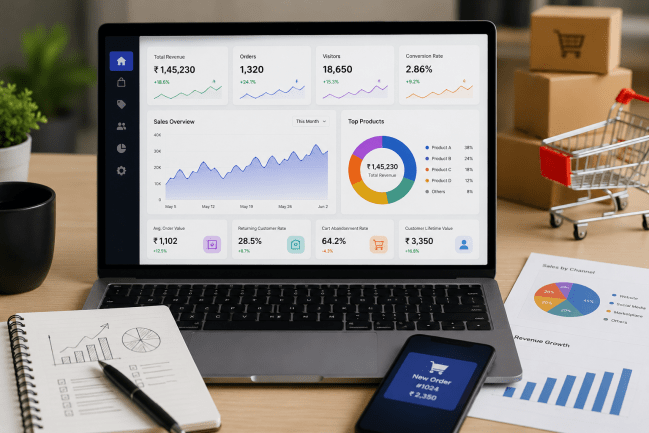
A dashboard like the one in Webilns puts these numbers in front of you without spreadsheets, so you can act instead of calculate.
Vanity Metrics vs Actionable Metrics
Not every big number means progress. Here's how to tell the difference between metrics that flatter you and metrics that guide you.
| Vanity metric | Actionable metric |
|---|---|
| Total pageviews | Conversion rate by source |
| Social followers | Revenue from social traffic |
| Total orders ever | Repeat purchase rate |
| Email list size | Sales per email sent |
Common Mistakes When Reading Your Data
- Reacting to a single day instead of watching a trend over weeks.
- Chasing traffic while ignoring a leaky checkout.
- Tracking everything and acting on nothing.
- Ignoring mobile-versus-desktop differences when most Indian buyers are on phones.
- Forgetting to connect sales data with your GST reports and POS billing for the full picture.
Frequently Asked Questions
1. What's a good conversion rate for an online store?
It varies by category and price, but for most small Indian stores anything in the low single digits is workable. Focus on improving your own number over time rather than chasing a benchmark.
2. How often should I check my analytics?
Weekly is enough to spot trends for a growing store. During sales or campaigns, a quick daily glance helps you react while it still matters.
3. Which single metric matters most?
If you can only watch one, watch conversion rate. It captures how well your whole store turns interest into sales.
4. Why is cart abandonment so high on my store?
Usually friction — surprise shipping costs, a slow page, forced sign-up, or too few payment options. Simplify checkout and keep UPI, cards, and COD available.
5. Do I need expensive tools for analytics?
No. A built-in store dashboard covers the essentials for most sellers. Add specialised tools only when a specific question needs deeper data.
Conclusion
You don't need to be a data scientist to run a smart store. Track a focused set of metrics — conversion, order value, abandonment, repeat rate, and traffic sources — watch them over time, and let them guide where you spend effort and money.
The sellers who grow steadily are simply the ones who look at their numbers and act. If you want analytics, storefront, payments, and GST reports in one dashboard, check our pricing and start making decisions with data on your side.