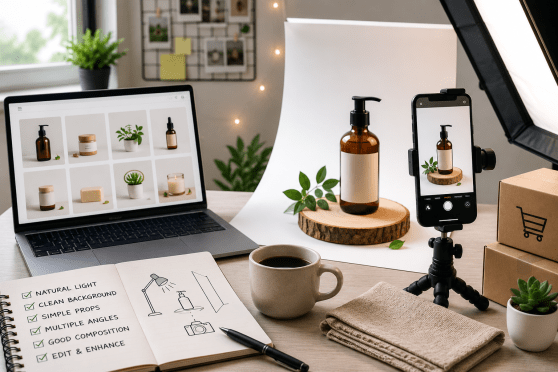
Product Photography Tips for Small Sellers (No Studio Needed)
Good product photography tips can transform a small seller's store overnight, and you don't need an expensive studio to get there. In online selling, your photos are the product; buyers can't touch or try what you make, so the image has to do all the convincing. The great news is a smartphone, some daylight, and a little care are usually enough.
Whether you sell jewellery, clothes, food, or handicrafts, clear and honest photos build trust and cut down on returns. Blurry, dark, cluttered pictures do the opposite, no matter how good the actual product is.
Here are practical, budget-friendly tips you can start using today, right at your kitchen table or shop counter.
Definition Box
What is product photography?
Product photography is the practice of capturing clear, appealing images of the items you sell so online buyers can see exactly what they're getting. For small sellers, it's less about fancy gear and more about good light, a clean background, and honest angles.
Strong photos raise conversions and reduce "this looked different online" complaints. You can achieve professional-looking results at home with a few basics:
- A smartphone with a decent camera
- Natural daylight from a window
- A clean, plain background
- A steady hand or a simple stand
Quick Facts: Product Photography for Small Sellers
| Gear needed | A smartphone is enough to start |
| Best light | Soft, indirect daylight near a window |
| Background | Plain white, grey, or a clean texture |
| Photos per product | 4 to 6 from different angles |
| Time to avoid | Harsh midday sun and yellow tube light |
| Editing | Light crop and brightness only, stay honest |
| Biggest mistake | Dark, blurry, cluttered shots |
Light Is Everything
If you fix only one thing, fix your lighting. Natural daylight is free and flattering. Set up near a window during the morning or late afternoon, when the light is soft rather than harsh, and let it fall across your product from the side.
Simple lighting tricks
- Turn off yellow indoor bulbs that distort colours
- Use a white sheet or paper to bounce light and soften shadows
- Avoid direct sun, which creates harsh shadows and glare
- Shoot at the same time daily so your photos look consistent
Angles, Background, and Detail
Buyers want to inspect a product the way they would in a shop. Give them that by shooting several angles: a straight-on hero shot, a close-up of texture or stitching, and a photo that shows scale, like the item held in a hand or next to a common object.
Keep the background clean so nothing competes with the product. A plain white board or a neat cloth works beautifully. And show real detail, honest photos of the actual item you'll ship prevent disappointment and reduce returns far better than a polished but misleading picture.
Smartphone vs Professional Studio
Do you really need to hire a studio? For most small sellers, not at the start. Here's an honest comparison.
| Smartphone at home | Professional studio |
|---|---|
| Almost no cost | Charges per shoot or per product |
| Shoot new items anytime you like | Must schedule and travel |
| Good enough for most catalogues | Best for premium hero images |
| You control the look fully | Depends on the photographer |
| Ideal for quick restocks | Worth it as you scale up |
Once your photos are ready, upload them to a store that shows them off. On Webilns you can add multiple images per product, even 360-degree views, so buyers see everything before they pay. Have questions about setup? The FAQs cover the basics.
Common Mistakes to Avoid
- Shooting under yellow tube lights that ruin true colours
- Using a cluttered or busy background that distracts the eye
- Over-editing until the product looks nothing like reality
- Uploading just one photo when buyers want several angles
- Ignoring image size, which slows your store on mobile
Frequently Asked Questions
1. Do I need a DSLR camera?
No. A modern smartphone with good daylight produces images that are more than good enough for online selling. Invest in a camera only when you truly outgrow your phone.
2. How many photos should each product have?
Four to six usually works well: a main shot, a couple of angles, a close-up of detail, and one showing scale or the product in use.
3. What editing app should I use?
Free apps like Snapseed or your phone's built-in editor are plenty. Stick to cropping, straightening, and slight brightness or contrast tweaks.
4. Should the background always be white?
White is safe and clean, but a simple textured surface can add character for handmade goods. The key is keeping it uncluttered and consistent.
5. How do I keep photos from slowing my store?
Resize and compress images before uploading. Many store platforms optimise them automatically, keeping your pages fast on mobile.
Conclusion
You don't need a studio, expensive lights, or a professional photographer to sell well online. You need daylight, a clean background, a steady phone, and the patience to shoot a few honest angles. Those basics alone will lift your product pages above most small competitors.
Treat your photos as an ongoing craft, not a one-time chore. As you shoot more, you'll get faster and better. Pair those improving images with a store that displays them beautifully, and you give every visitor a reason to trust you and click buy.