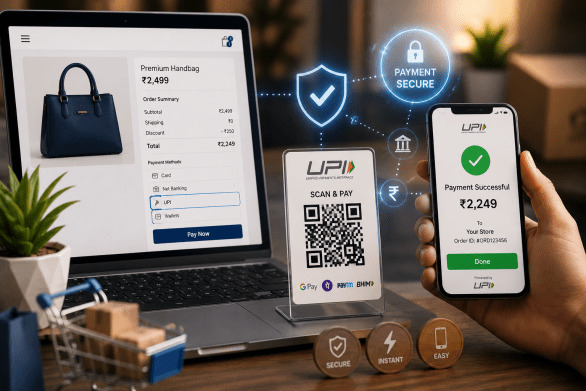
How to Accept UPI Payments on Your Online Store
If you run an online store in India and you're wondering how to accept UPI payments, you're already thinking like a smart seller. UPI has quietly become the default way millions of Indians pay — from a ₹40 chai to a ₹40,000 gadget. Getting it right on your store isn't just a technical checkbox; it's the difference between a customer tapping "Pay" and a customer abandoning the cart.
The good news? You don't need a developer, a merchant relationship with three banks, or a week of paperwork. With the right setup, you can be accepting GPay, PhonePe, Paytm, and every other UPI app within a day. Let's walk through exactly how it works, what it costs, and the mistakes that quietly cost sellers money.
Definition Box
What is UPI for online stores?
UPI (Unified Payments Interface) is India's real-time bank-to-bank payment system. On an online store, "accepting UPI" means your checkout lets a buyer pay directly from their bank account using any UPI app — scanning a QR, entering a UPI ID, or tapping an "intent" link that opens their app automatically.
- Money moves instantly, 24x7, straight to your settlement account.
- Works across GPay, PhonePe, Paytm, BHIM, and bank apps.
- No card details to store, so PCI headaches don't fall on you.
- Ideal for low-ticket and impulse purchases where speed matters.
Quick Facts: UPI on Online Stores
| Setup time | Usually under a day with a payment gateway |
| Typical MDR | Often 0% on UPI for many gateways; confirm with yours |
| Settlement | T+1 for most merchants |
| Documents needed | PAN, bank account, and KYC of the business |
| Refunds | Supported, back to the payer's bank account |
| Best for | Impulse buys, mobile-first shoppers, small tickets |
| Mobile share | The majority of Indian store traffic is on phones |
The Fastest Way to Start Accepting UPI
The simplest route for most sellers is a payment gateway that bundles UPI along with cards, netbanking, and wallets. You sign up, complete KYC, connect your bank account, and switch it on. On Webilns, the checkout is built to show UPI as a first-class option so buyers see it right away instead of hunting for it.
Step by step
- Create your store and add products.
- Enable a payment gateway and finish business KYC (PAN, bank, GST if you have it).
- Turn on UPI as a payment method in settings.
- Place a small test order of ₹1 to confirm the flow end to end.
- Check that the money hits your settlement account on the next cycle.
UPI Collect vs UPI Intent vs Static QR
Not every UPI flow feels the same to a buyer. Here's how the common ones compare so you can pick what suits your store.
| Flow | Buyer experience |
|---|---|
| UPI Intent | Tap a button, the UPI app opens with amount pre-filled. Smoothest on mobile. |
| UPI Collect | Buyer enters their UPI ID, then approves a request in their app. |
| Dynamic QR | Buyer scans an order-specific QR. Great on desktop checkouts. |
| Static QR | A fixed QR where buyers type the amount. Reconciliation is harder. |
Common Mistakes Sellers Make with UPI
- Relying only on a static personal QR — it mixes personal and business money and wrecks accounting.
- Hiding UPI below cards at checkout, when most Indian buyers want it first.
- Not handling the "payment pending" state, so buyers pay but the order shows unpaid.
- Forgetting to reconcile settlements against orders each week.
- Skipping a proper GST invoice after the sale — pair UPI with GST-ready billing so every paid order has a compliant invoice.
If you also sell at a counter, keep the same discipline on your POS billing so online and offline UPI both land in one clean ledger.
Frequently Asked Questions
1. Do I need a company to accept UPI on my store?
Not always. Many gateways onboard sole proprietors with just a PAN and a bank account, though a registered business unlocks smoother limits and settlements.
2. Is there a charge on UPI payments?
UPI often carries zero or very low MDR for merchants, but rates vary by provider and ticket size. Always confirm the exact terms with your gateway before you launch.
3. How fast does the money reach my account?
Most merchants get T+1 settlement — money collected today lands in your bank the next business day, minus any applicable fees.
4. What if a customer says they paid but the order shows unpaid?
This is usually the "pending" webhook not being processed. A good checkout auto-verifies with the gateway and reconciles it, so keep verification enabled and check your payment logs.
5. Can I refund a UPI payment?
Yes. Refunds go back to the payer's bank account through the same gateway, usually within a few business days.
Conclusion
Accepting UPI isn't a nice-to-have for Indian online stores anymore — it's the payment method your buyers reach for first. Set it up through a proper gateway, show it prominently at checkout, and reconcile it every week, and you'll capture sales that would otherwise slip away at the payment step.
If you want UPI, cards, GST invoicing, and a storefront in one place, take a look at our pricing and start selling the way India actually pays. Set it up once, and every future order just works.